 Mailman
Help menu Read, search & codes
Sort and find mail with smart views
Open a view, fix a wrong label, and manage AI classification.
Smart views collect mail by type, such as orders or wins. They're views, not provider folders, so nothing is moved or deleted.
Open a view#
- Open Inbox, then select a view under Smart views. On a phone, open Folders first.
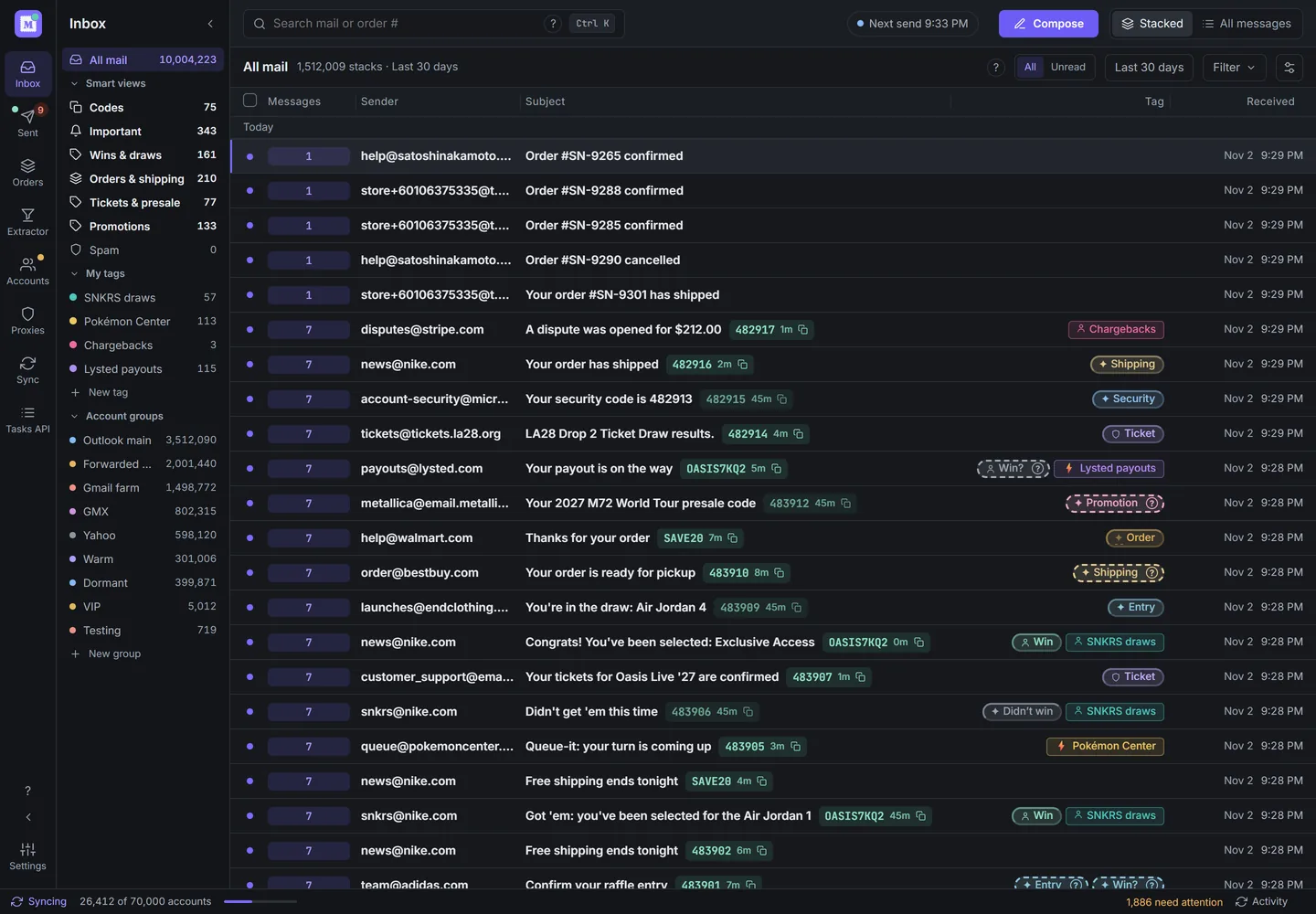
The Smart views list. Dashed labels need review. Demo data. - To reorder, right-click a view and select Move up or Move down, or drag it.

| View | What it holds |
|---|---|
| Wins & draws | Draw wins and results, and anything like a win |
| Orders & shipping | Order confirmations, receipts and shipping updates |
| Tickets & presale | Ticket purchases, presale and access codes |
| Promotions | Marketing from real senders |
| Spam | Junk, scams and phishing |
| Important | Wins, orders and tickets together |
| Codes | Mail with a verification code |
Views always show stacks, never single emails.
Fix a wrong label#
Hover a label for its source: AI, you, a rule, other users or "Verified". A dashed label needs review.
- Select a dashed label such as "Win?" or "What is this?" and answer, for example Yes, I won.
- For any label, right-click the stack, select Tag, and tick the right views.
- To fix every email from one sender, open "Every email from" in the Tag menu and tick views there, or select Never tag. It also applies to that sender's future mail.
- To hand a stack back to AI, select Reset to automatic.
Your tags and sender rules always win over AI. Manage them in Settings → Organizing rules.
Manage AI classification#
In Settings → AI classification:
- Enable AI classification turns sorting on or off. It's separate from Smart stacking.
- Each stack's sender, subject and the start of one email's body go to Mailman. Nothing is deleted or hidden.
- To redo older mail, pick a range under Reclassify range, then select Reclassify. Automatic tags are rebuilt, and yours stay. With Mailman's AI, you can do this once every 30 days.
- "Recent tag corrections" lists your latest changes.
Installs using their own AI key also show Provider and API key.
In the Inbox or stacked search results, click a tag pill (including a user tag or +N) to open the tag picker without selecting the stack. Question-mark pills still open their question menu. Right-click, or long-press on a phone, opens the row actions.
A label that only repeats the view you are in is hidden: Spam in Spam, Security in Codes or beside a code. Question labels stay visible. Spam mail elsewhere is dimmed.