 Mailman
Help menu Fix a problem
The web inbox or phone won't connect
Match the message on the web inbox page to its fix.
Works in: App, web inbox & phoneUpdated 2026-11-02
The web inbox is a window onto Mailman running on your computer. It connects only while that computer is on, signed in to Mailman, and has Remote access turned on.
Find the message#
- Read the message on the page, then find it in the table.
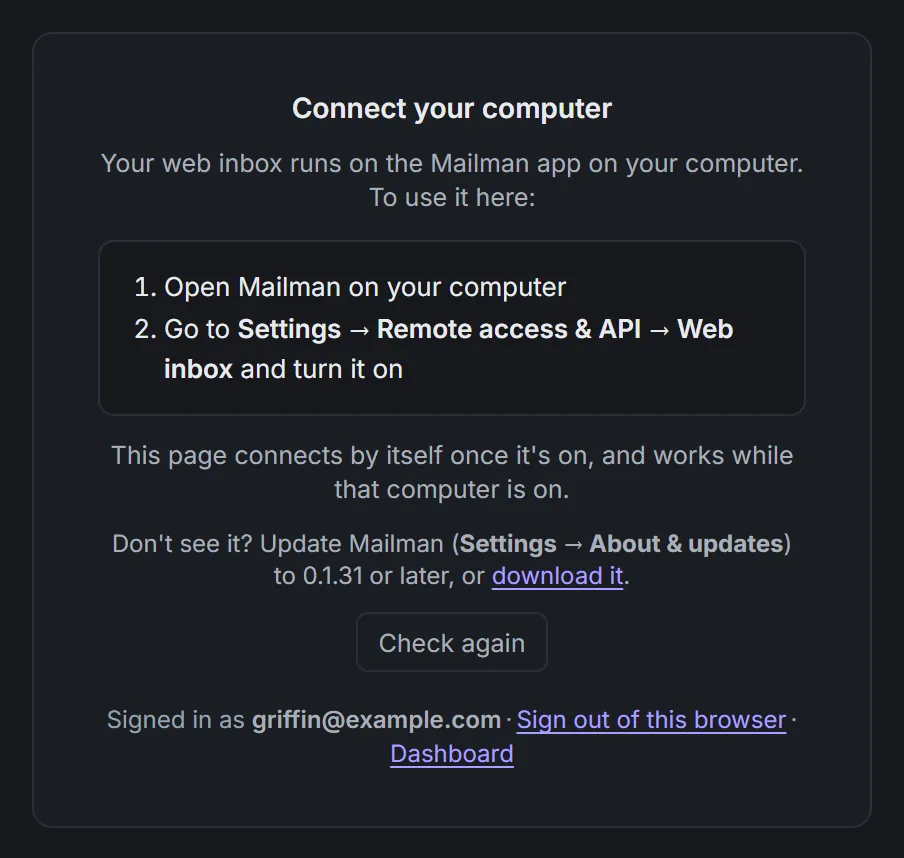
The message when no computer is connected. Demo data.

| You see | What it means | What to do |
|---|---|---|
| "Connect your computer" | The web inbox can't find your computer. | On the computer, open Mailman, go to Settings → Remote access & API and turn on Remote access. The page connects by itself, or select Check again. |
| "Your computer went offline." | Mailman closed on the computer, or it went to sleep or lost internet. | Open Mailman on the computer and wake it up. Then select Retry. |
| "You're offline" | This browser or phone has no internet. | Reconnect. The page picks up where it left off. |
| "Can't reach Mailman's servers" or "Connection lost. Reconnecting…" | This browser can't reach Mailman's connection service. | Check this device's internet, then select Retry now. If the computer lost internet too, reconnect it. |
| "Too many Mailman tabs open" | More web inbox tabs are open than Mailman allows. | Close one in this or another browser, then select Retry. |
| "This page needs a reload" | Mailman was updated since the page opened. | Copy any unsent text, then select Reload. |
| "You're signed out." | Your web inbox sign-in ended. | Select Sign in with the same Mailman account as the computer. |
| "Mailman on your computer isn’t signed in" | The computer is signed out of Mailman. | Sign in on the computer: Sign-in problems. |
| "Finish setup on your computer" | The computer has no email accounts yet. | Add them in Mailman on the computer: Add a list of email accounts. |
| "Only available in Mailman on your computer" | Passwords, backups, logs and a few other actions stay on the computer. | Do that action in Mailman on the computer. |
| "Update Mailman on your computer to use this" | The computer's Mailman is older than the web inbox. | Update it in Settings → About & updates: Update Mailman. |
Check the computer#
On the computer, open Settings → Remote access & API and read the status under Web inbox.
| Status | What to do |
|---|---|
| "Off" | Turn on Remote access. |
| "Connecting…" or "Waiting for sign-in to finish…" | Wait a moment. The computer is still signing in. |
| "Not connected" | The line under it says why. For "Can't reach Mailman's servers", reconnect the computer. For "Remote access needs an active Mailman license", see Sign-in problems. |
| "Connected · no browsers open" | The computer is ready. The problem is on the browser or phone. |
Still stuck?#
Logs stay on the computer, so send logs to support from Mailman there.