 Mailman
Help menu Read, search & codes
Find and copy a verification code
Copy the newest code with one key, and check how old it is.
Mailman finds verification, presale and promo codes and shows them beside each message.
Copy a code 1 min#
- Select Codes under Smart views, or press G then C. On a phone, open Folders first.
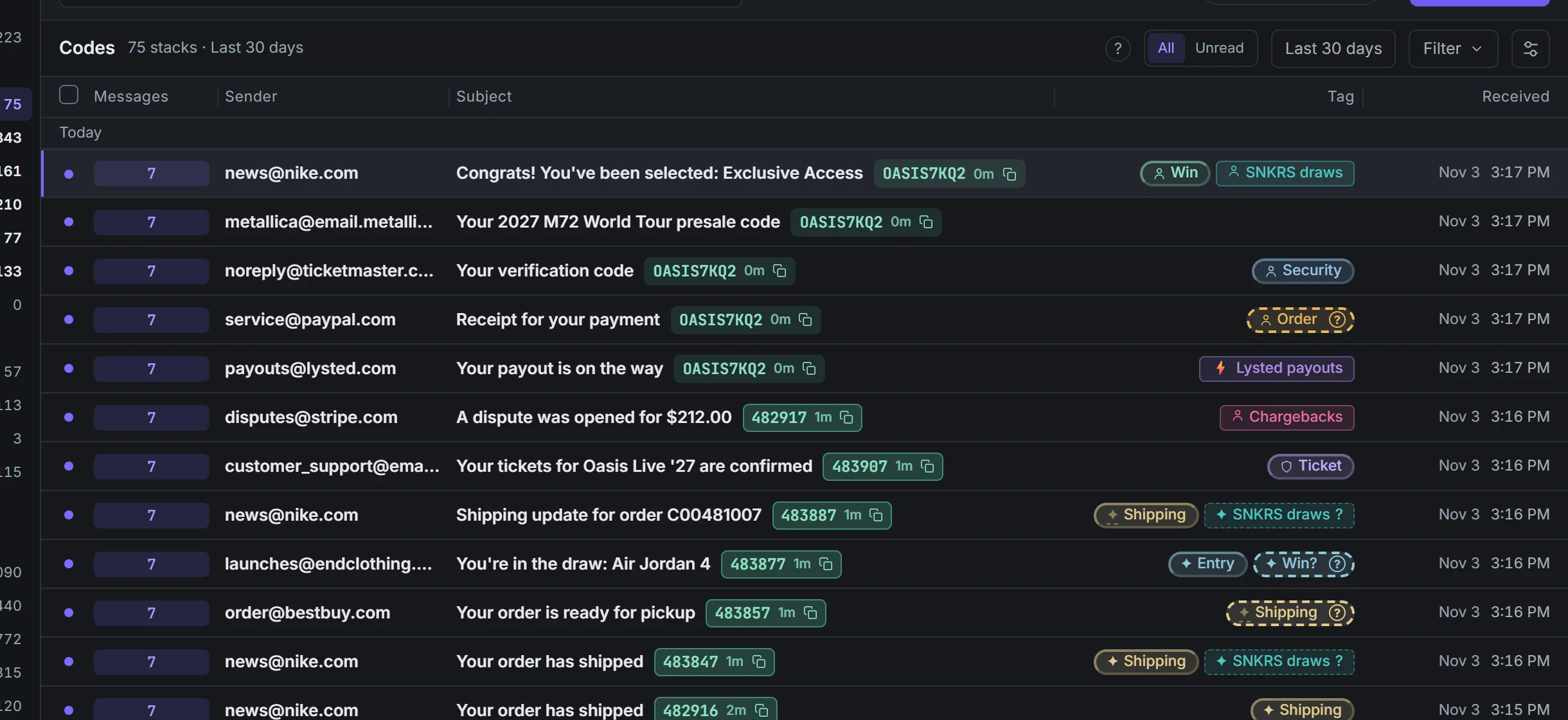
Codes and their age. Demo data. - Select a code, or highlight a row and press C. Then paste it where you need it.

Check the age#
The age is how long ago the email arrived, such as "4m", "3h" or "2d".
| You see | It means |
|---|---|
| An outlined code | It is still inside its lifetime. |
| A normal code | No expiry is set. |
| A dimmed code | It is an expired one-time code (or has an email or sender expiry), or it's an older code because the newest email has none. You can still copy it. |
| A spinner | The newest code is loading. After 20 seconds, the earlier code shows, if there is one. |
Open a message to see its code card, such as "expires in ~12 min". The lifetime comes from:
| Shown as | Source |
|---|---|
| "(from email)" | The email states it, such as "valid for 10 minutes". |
| "(your setting for this sender)" | Code lifetime for this sender…, from 1 to 10,080 minutes. It applies to future codes. |
| "(default)" | 15 minutes after the email arrived, one-time codes only. Presale and promo codes expire only when the email says so or you set a sender lifetime. |
The sending service decides whether a code still works. A new request can cancel the old one.
Numbers beside a price, a unit such as points or BTU, or an order label are not read as codes. Explicit verification and payment authorization wording can identify a code even when the email also mentions a price or checkout. "Use code 1500 at checkout" is treated as a promotion.
Fix a wrong or missing code#
- Right-click a row with a code and select Not a code. This turns off detection for similar emails. To turn it back on, use Automate → Code → This is a code and choose a type.
- Not a code? on the code card turns off detection for similar emails. Undo restores it.
- To add one, right-click the row, select Automate → Code → This is a code, then a type.
- For mail over 30 minutes old, open the message to load a code that's only in its text.
- In an open stack, Copy all codes or Export codes (.csv) takes every code.
The open-stack header shows Copy all codes and Export codes (.csv) only when codes are present. They move into the stack menu when the header is cramped, with each action listed once.